Logo Artwork for Custom Insulated Bags: Files, Colors and Proofs
Logo artwork for insulated bags prints best when you send a vector file, keep the design bold and simple, and plan colors around the bag fabric. Custom Insulated Bags reviews every file you send, fixes what it can, and returns a free mockup within 24 hours, so you see exactly how your logo sits on the bag before anything is printed.
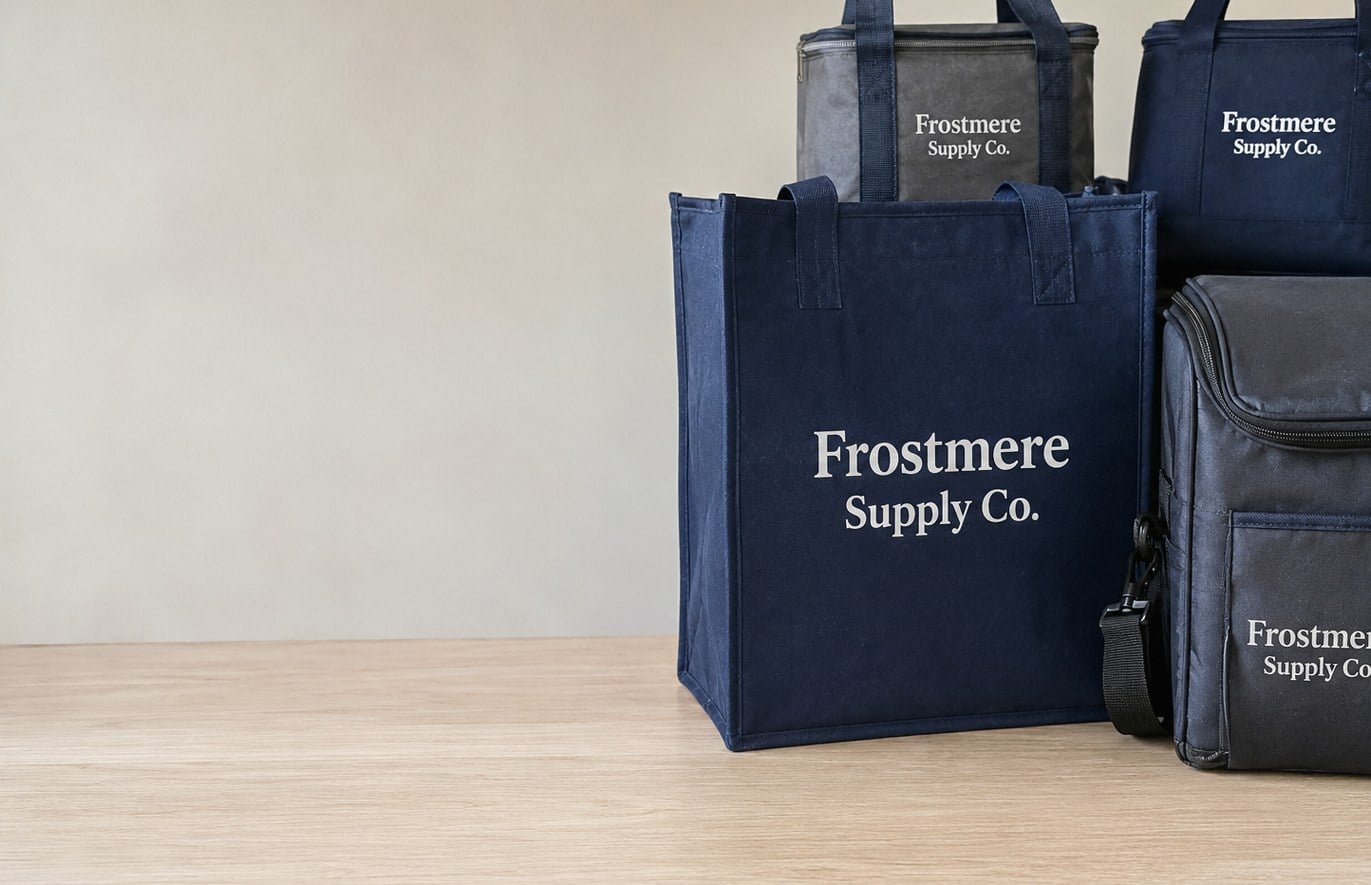
- Vector files such as AI, EPS, SVG or vector PDF print the cleanest
- Free digital mockup within 24 hours, with unlimited free revisions
- Bag fabric and foil linings change how colors read, so check the mockup closely
- Minimum order of 12 insulated bags, standard turnaround about 2 weeks after approval
- Pay nothing until you approve the design
What kind of logo file works best on custom insulated bags?
The best logo file for custom insulated bags is a vector file: an AI, EPS, SVG or vector PDF exported from the program your designer used. Vector artwork is built from shapes rather than pixels, so the print shop can scale it to fit a lunch-size cooler or a large delivery bag without any blur. Custom Insulated Bags can work from other files too, but vector artwork gets you to an approved mockup fastest.
If you only have a PNG or JPG, send the largest, sharpest version you can find, ideally the original file rather than a copy saved from a website or social profile. A logo pulled from an email signature is usually too small to print cleanly on a bag panel. When the only file available is low quality, say so on the quote form; the art team can often rebuild a simple logo so it prints crisply.
- Best: AI, EPS, SVG or vector PDF from your designer
- Workable: a large, high-resolution PNG with a transparent background
- Needs help: screenshots, photos of signage, or tiny web graphics
How do bag colors and foil linings change the way my logo looks?
Bag colors and linings change your logo because ink sits on a colored fabric, not on white paper. A navy logo on a black thermal delivery bag can nearly disappear, while the same logo on a light grocery tote looks sharp. Planning contrast between the ink and the bag body is the single biggest artwork decision you make on an insulated bag order.
Most branding on insulated bags goes on the outer fabric, but buyers sometimes ask about the silver foil inside foil-lined promotional bags. Keep the logo on the outside panel, where it is seen on the street, at the counter and on the porch. If your brand has a dark logo and you want a dark bag, ask for a white or light version of the logo so it stays readable.
| Bag body | Logo colors that read well | Watch out for |
|---|---|---|
| Black or dark navy | White, bright yellow, light gray, bold brand colors | Dark blues, deep reds and black outlines |
| White or natural | Black, navy, deep green, most brand colors | Pale pastels and light gray text |
| Bright colored fabric | White or black for maximum contrast | Colors close to the bag color itself |
Share any brand color codes you have, such as Pantone references, so the printed match is as close as the fabric allows. The mockup is where you confirm the pairing before you approve.
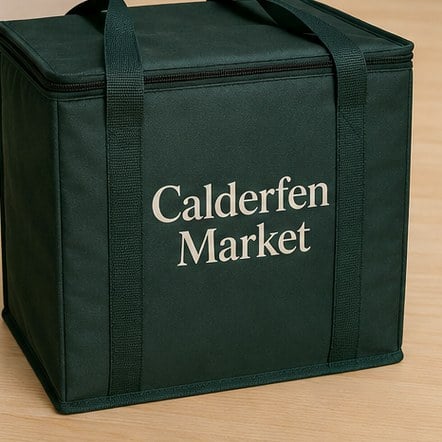
Where can my logo go on an insulated bag, and how big can it be?
Your logo can usually go on the front panel of an insulated bag, and many styles also offer a back panel, a lid or flap, or a side gusset. The usable print area depends on the bag style: a thermal food delivery bag has a large flat lid and sides that suit a bold logo, while an insulated grocery tote has a wide front panel framed by handles and seams.
Seams, zippers, pockets and stitched handles all interrupt the print area, so artwork should sit inside the flat part of the panel with a little breathing room on every side. Rather than guessing a size, tell Custom Insulated Bags which bag you want and where you would like the logo; the mockup shows the largest clean placement for that exact style.
- Pick the bag style first, because each style has its own panels.
- Choose a primary location, usually the front or the lid.
- Decide whether a second location, such as the back, is worth adding.
- Let the mockup confirm the size, then adjust if it feels too small or too crowded.
Why do thin lines, small text and gradients cause trouble on insulated bags?
Thin lines, small text and gradients cause trouble on insulated bags because bag fabric has texture and slight give, unlike a smooth printed card. Fine strokes can break up, tiny taglines can fill in, and soft color fades can look banded on woven or coated material. Bold shapes and short words hold up far better, especially on a bag that will be folded, packed and wiped down every week.
A logo that looks elegant on a website often needs a simpler version for a bag. Many brands keep a stacked or icon-only version of their mark for exactly this reason. If yours does not, Custom Insulated Bags can suggest small changes, like thickening a stroke or dropping a long slogan, and show them on the next round of the mockup at no charge.
- Keep text to the brand name and, at most, one short line
- Thicken hairline strokes and outlines
- Swap photo-style or gradient art for solid colors where you can
- Use an icon-only mark on smaller panels such as a side gusset
What extra details can be printed on branded insulated bags?
Branded insulated bags can carry more than a logo: a website, a phone number, a social handle, a short tagline, a QR code or a simple care line such as a reminder to return the bag. These extras turn the bag into a working tool for the business, especially for delivery routes and subscription programs where the same customer sees the bag every week.
The trick is hierarchy. The logo should lead, with the secondary details smaller and placed on a different panel when possible. A delivery bag might carry the logo on the lid and the website on the side, while a grocery tote might keep the logo on the front and a return reminder on the back. Businesses with several programs, like the farms and market vendors on the farms and farmers markets page, often use the back panel for a booth name or a pickup message.
Test any QR code before you send it, and point it to a page you control so the link stays useful for the life of the bag.
How should I review my insulated bag mockup before approving it?
Review your insulated bag mockup by checking it the way a customer will see the finished bag: from a few steps away, on the porch or at the counter. Custom Insulated Bags sends a free digital mockup within 24 hours of your request, and revisions are unlimited and free, so take the time to get it right before you approve.
- Spelling and details: read every word, website and phone number letter by letter.
- Contrast: confirm the logo stands out clearly against the bag color.
- Placement: check that the logo clears seams, zippers and handles.
- Size: make sure the logo is large enough to read at a distance but not crowding the panel.
- Bag style and color: confirm the mockup shows the exact bag you plan to order.
- Second locations: check the back or side artwork as carefully as the front.
Share the mockup with anyone who signs off on branding before you approve it. Once you approve, production starts and standard turnaround is about 2 weeks, with faster turnaround available through express shipping. You pay nothing until the design is approved.
What are the most common artwork mistakes on a first insulated bag order?
The most common artwork mistakes on a first insulated bag order are sending a low-resolution logo, choosing a logo color that blends into the bag, and packing too much text onto one panel. Each one is easy to fix at the mockup stage and expensive to live with after the bags arrive, because insulated bags stay in use for a long time.
Other mistakes are quieter. Buyers sometimes approve artwork for one bag style and then switch styles without asking for a new mockup, or forget that a specimen or pharmacy bag may need a handling label as well as a logo. If you order insulated specimen transport bags or insulated catering carriers, list any required wording on the quote form so it is placed from the first draft.
- Sending a screenshot instead of the original logo file
- Dark logo on a dark bag, or pale logo on a light bag
- Long slogans that shrink the logo to fit
- Changing the bag style after the mockup is approved
- Skipping a final read of phone numbers and web addresses
Start your request on the quote form with your logo attached, and the first mockup will show where your artwork stands.
Frequently asked questions
Can a blurry or low-resolution logo still be used on insulated bags?
A blurry logo can often still be used on insulated bags, but it usually needs to be rebuilt before printing. Custom Insulated Bags reviews every file and can redraw many simple logos as clean vector artwork, then shows the result on your free mockup. Send the best version you have and note on the quote form that the file is low quality, so the art team knows to check it first.
Should I send my brand color codes with my insulated bag artwork?
Sending brand color codes with insulated bag artwork is always a good idea, because a Pantone or other reference gives the printer a precise target instead of a guess from a screen. Bag fabrics absorb and reflect ink differently from paper, so the printed match will be as close as the material allows. Add the codes to the quote form or include them in the artwork file.
Will a white logo show up well on a black insulated bag?
A white logo usually shows up very well on black insulated bags, and white on black is one of the strongest contrast pairings for delivery and catering styles. The key is a solid, bold version of the logo without hairline details that can soften on fabric. Ask Custom Insulated Bags for a mockup in white so you can judge readability before approving the order.
Can I print different artwork on the front and back of an insulated bag?
Many insulated bag styles can carry different artwork on the front and back, such as a logo on one side and a website, tagline or return message on the other. Availability depends on the bag style and its panels. Mention every location you want on the quote form, and the free mockup will show each side so you can approve them together.
Can Custom Insulated Bags work from a photo of my storefront sign?
Custom Insulated Bags can often start from a photo of a storefront sign or printed menu when no digital logo file exists. The art team uses the photo as a reference to recreate a clean version for insulated bags, then shows it on the mockup for your approval. Results depend on how clear the photo is, so take it straight on in good light.
Should a gradient or photo-style logo be simplified for insulated bags?
A gradient or photo-style logo often benefits from a simplified, solid-color version on insulated bags, because fabric texture can make soft color fades look uneven. Many brands keep a flat version of their mark for merchandise. Custom Insulated Bags can suggest a simplified treatment and show it beside your original artwork on the mockup, so you can choose the one you prefer.
Can I add a QR code to my custom insulated bags?
A QR code can be added to custom insulated bags, and it works well for menus, reorder pages, loyalty sign-ups and return instructions. Give it a clear, flat area of the panel with enough contrast against the fabric. Test the code on your phone before sending it, and point it to a page you control so the link keeps working for as long as the bag is in use.
How many revisions can I request on my insulated bag mockup?
Insulated bag mockups from Custom Insulated Bags come with unlimited free revisions, so you can adjust size, placement, colors and wording until the design looks right. The first mockup arrives within 24 hours of your request. Nothing goes into production and you pay nothing until you approve the final design, which makes the review stage the right time to ask for every change.
Can my insulated bags show a partner or sponsor logo next to mine?
Insulated bags can show a partner or sponsor logo alongside your own, which is common for events, co-branded promotions and community programs. Send both files and say which logo should lead. The mockup will show how the two marks share the panel, or how they split across front and back, so each brand stays readable and the bag does not look crowded.
Can I change the artwork when I reorder insulated bags?
Artwork can be updated when you reorder insulated bags, whether you are refreshing a logo, adding a new website or changing a seasonal message. Send the new file with your reorder request and ask for an updated mockup. Custom Insulated Bags will show the revised design on the same bag style so you can confirm the change before the new run is produced.
Do care or handling instructions need to be part of my insulated bag artwork?
Care or handling instructions are optional on most insulated bags, but they help when bags are returned, shared or used for sensitive items. A short line such as a wipe-clean reminder or a return message fits well on a back panel. For specimen or pharmacy transport, list any wording your team requires so Custom Insulated Bags can place it from the first mockup.
Get a free mockup for your insulated bags
Send your logo or idea and the quantity you have in mind. Custom Insulated Bags returns a free mockup within 24 hours, you approve the design before anything is produced, and standard turnaround is about two weeks with faster options available. Get a custom quote.